 SenyAlert
SenyAlert
SenyAlert
SenyAlert
SenyAlertWhen Something’s Not Right, One Tap Is Enough.
SenyAlert gives seniors a simple way to reach family, friends, or caregivers using reliable SMS — without struggling with complex phone interfaces.
Reliable and Easy to Use. Peace of mind for everyone.
Today's seniors are active, independent people — they go for walks, travel abroad, manage their own lives, and take pride in that autonomy. But past a certain age, sensory and cognitive abilities can quietly decline, and in a stressful moment — a fall, feeling lost, a health scare — navigating a smartphone to call for help can become a real barrier.
Many seniors don't want to carry an impersonal emergency gadget or be monitored by a call center. They want to stay connected on their own terms, with the people they trust.
SenyAlert fills that gap.
SenyAlert is more than just a safety app — it’s a swift helping hand that empowers your loved seniors to use the built-in SMS capabilities of their phone and carrier to reach the people who care about them most.
Instead of struggling with the native messaging apps on Android or iOS, SenyAlert removes the hassle and confusion. With a single tap, important messages are sent clearly and confidently to family members, friends, or caregivers.
Whether it's sending an urgent alert with their location or simply reassuring you that everything is fine, SenyAlert ensures they always have a straightforward, reliable way to reach their key contacts.
Because peace of mind should be simple — for them and for you.
In an emergency or even in a moment of unease, navigating standard smartphone interfaces can be overwhelming.
Small buttons, multiple screens, and complex menus can create stress when clarity is needed most. SenyAlert simplifies everything into one clear action — so your loved ones can communicate instantly, without fear or frustration.
SenyAlert gives my mother the confidence to live independently, knowing help is just one tap away.
— Sarah M., Caregiver
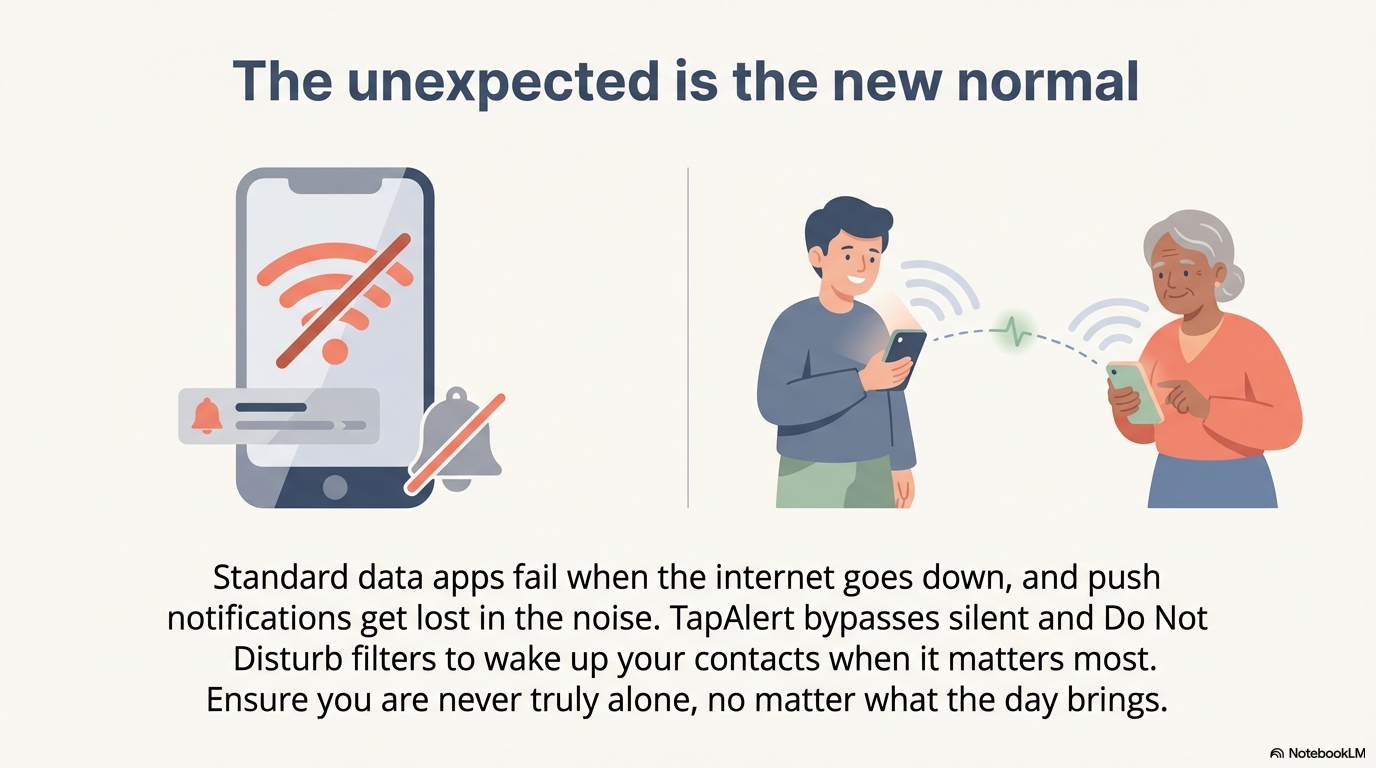
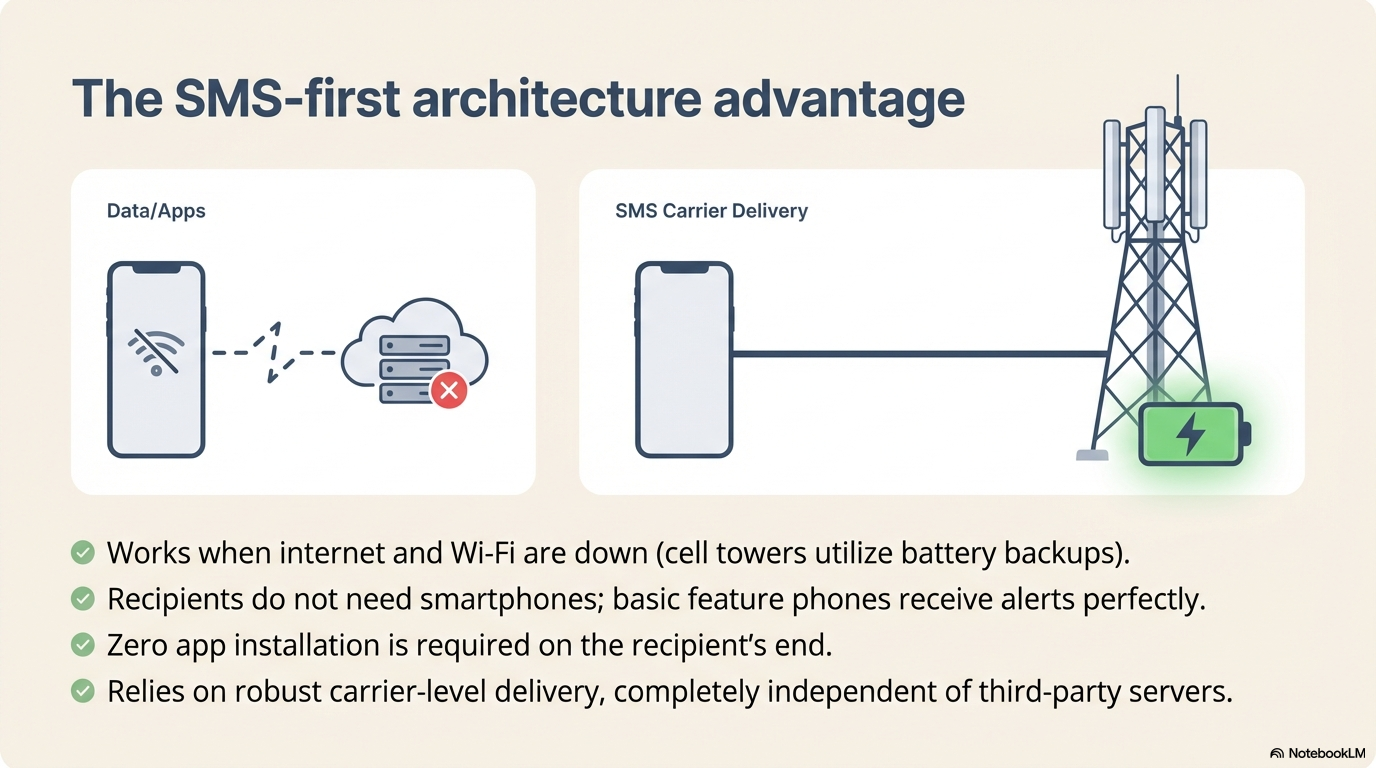
The app prioritizes SMS over data-based messaging (push notifications, WhatsApp, etc.) because:
Internet fallback: When no cellular service is available, SenyAlert will fallback to Internet if you have configured the Twilio service. For this you need to configure the app with your own Twilio credentials. Alternatively you can also configure the alert to be sent via e-mail, this can be used as a redundant path (recipients will get the alerts via SMS and e-mail) or as fallback if SMS is not available for any reason.
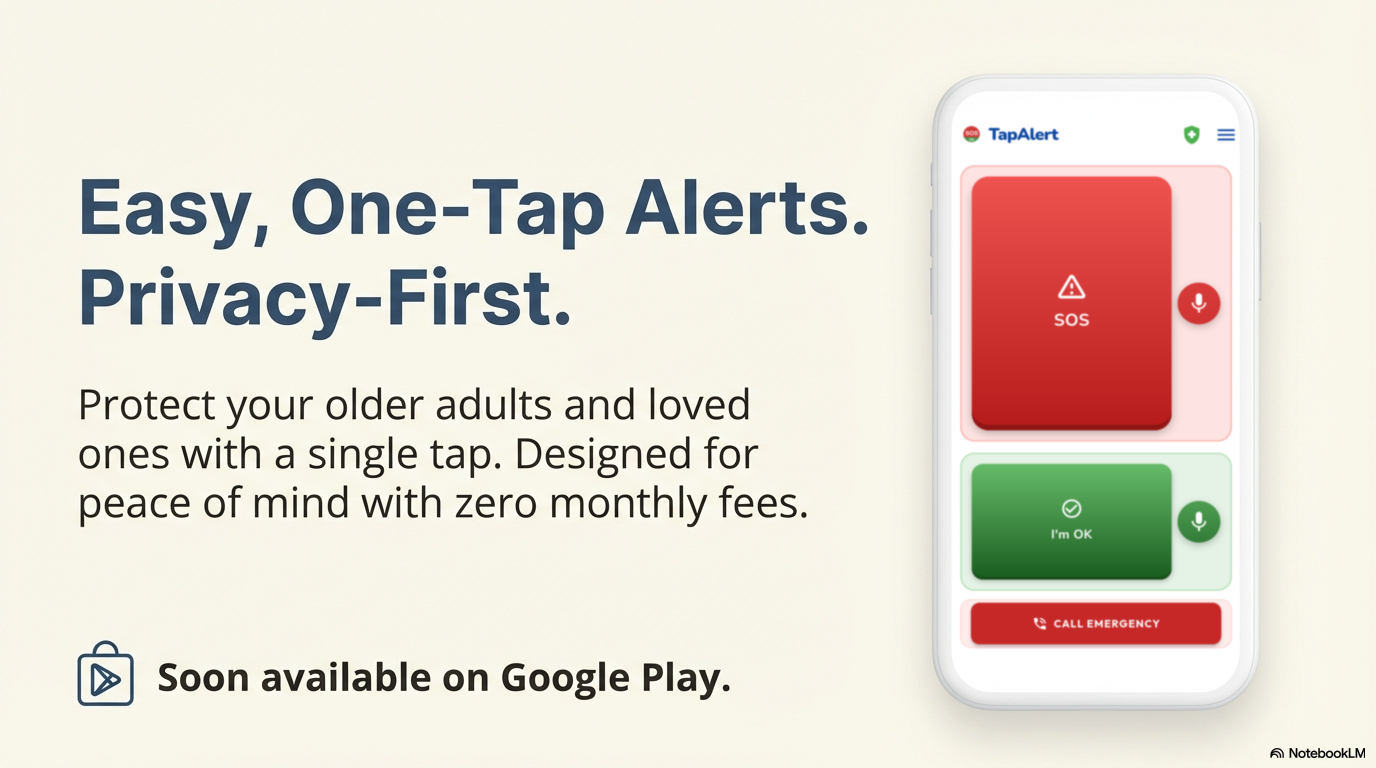
Everything you need to stay connected with your emergency contacts, designed for simplicity and reliability.
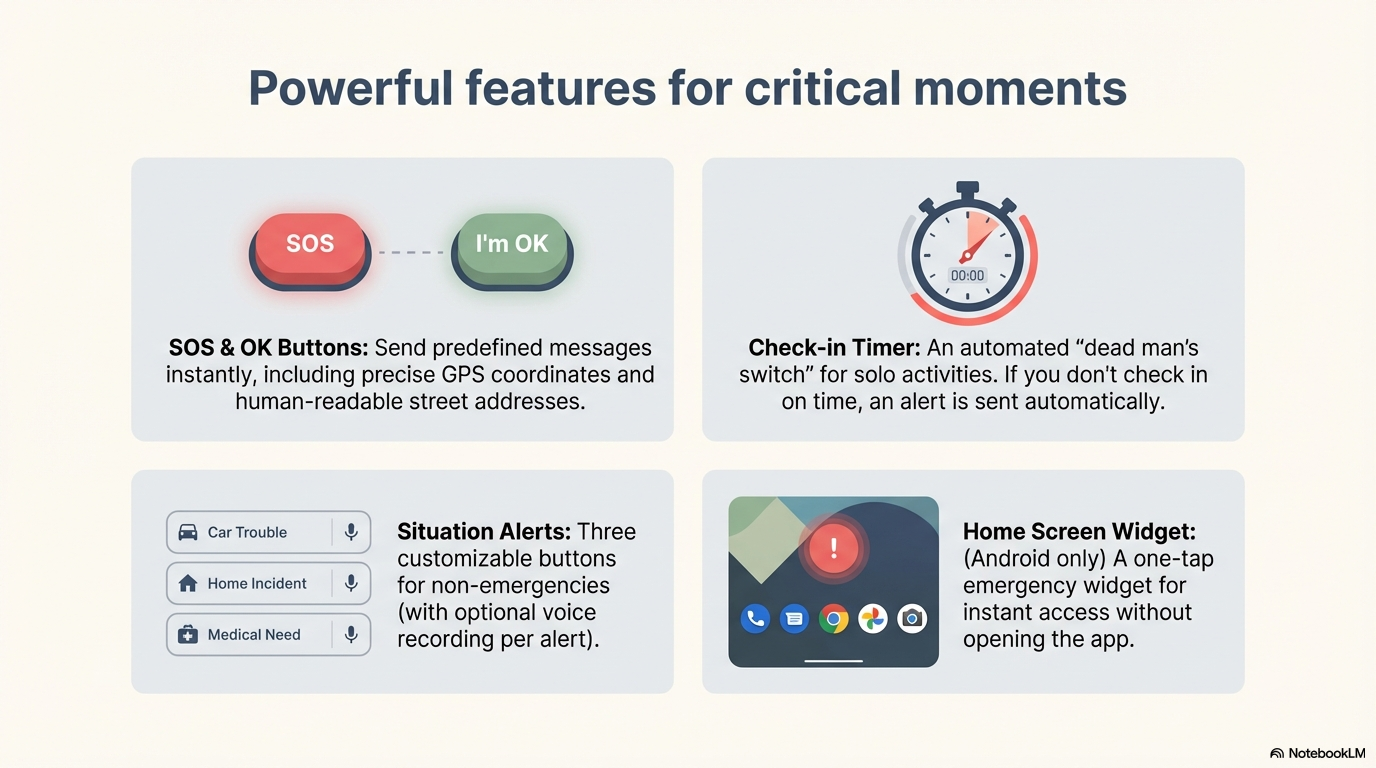
Send predefined SOS “I need help!” message alert instantly with one tap. Messages include your precise GPS location and address.
Send an OK message to all contacts to reassure them you're fine. You can also setup a daily check-in time and send I’m Alive! alert before it expires. If you miss to check in on time a missing daily check in alert will be sent to all your configured contacts.
You can define 2 alternative preconfigured alerts that your senior can send for specific ad-hoc situations with a single tap.
Alert your loved ones when you’re starting an activity and ending it. An alert will be sent to them if not checked-in on time.
Monitors the state of your battery and allows defining a percentage threshold. Once the threshold is crossed, a low battery alert is automatically sent to your recipients.
The app allows you to contact Emergency services of your country from the SOS button page. You can do it via phone call or text (SMS) without leaving the app.
Works offline with Direct SMS. Automatic fallback between cellular and Wi-Fi to ensure your message gets through.
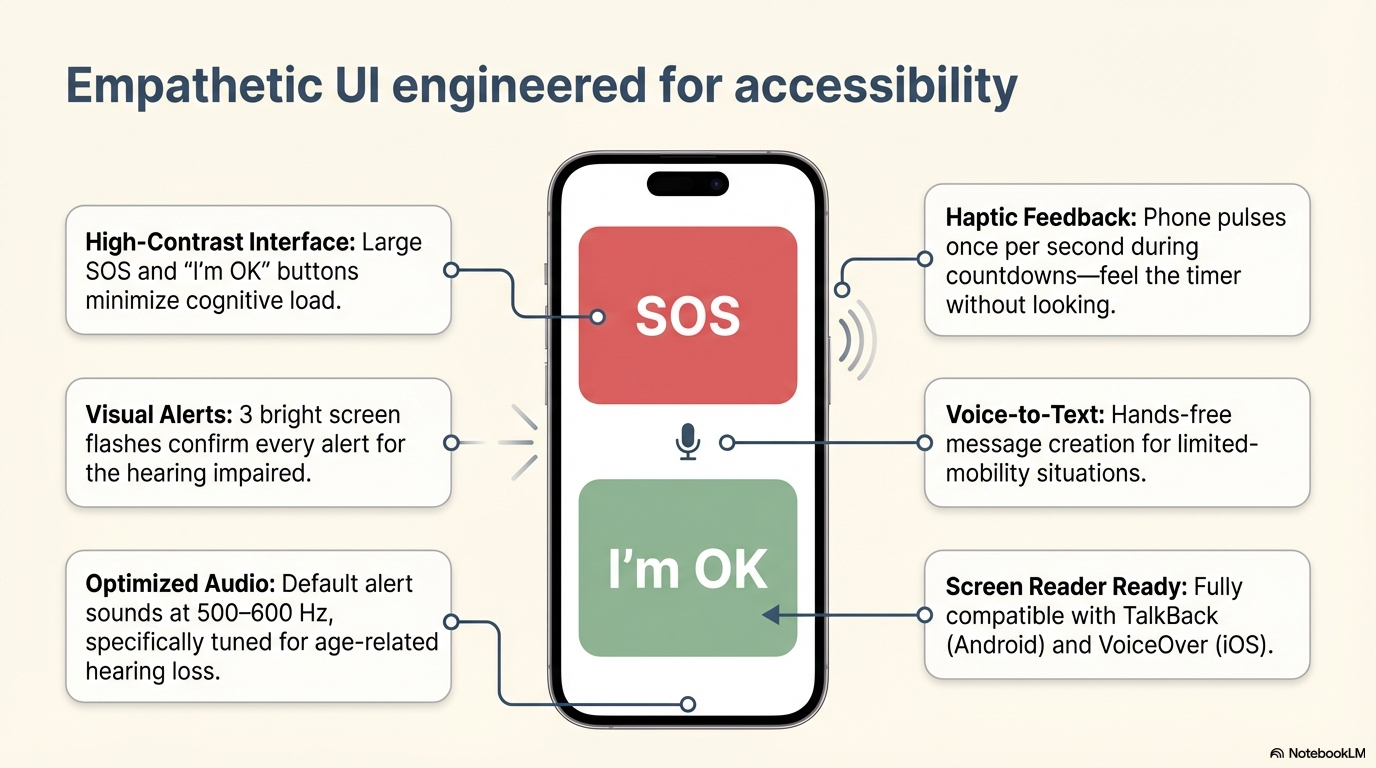
Create messages hands-free using voice input. Helpful in stressful or limited-mobility situations when typing isn’t possible.
Large text, high contrast, tunable sound pitch for hearing impaired, and a clear, distraction-free interface. Easy for seniors and non-technical users.
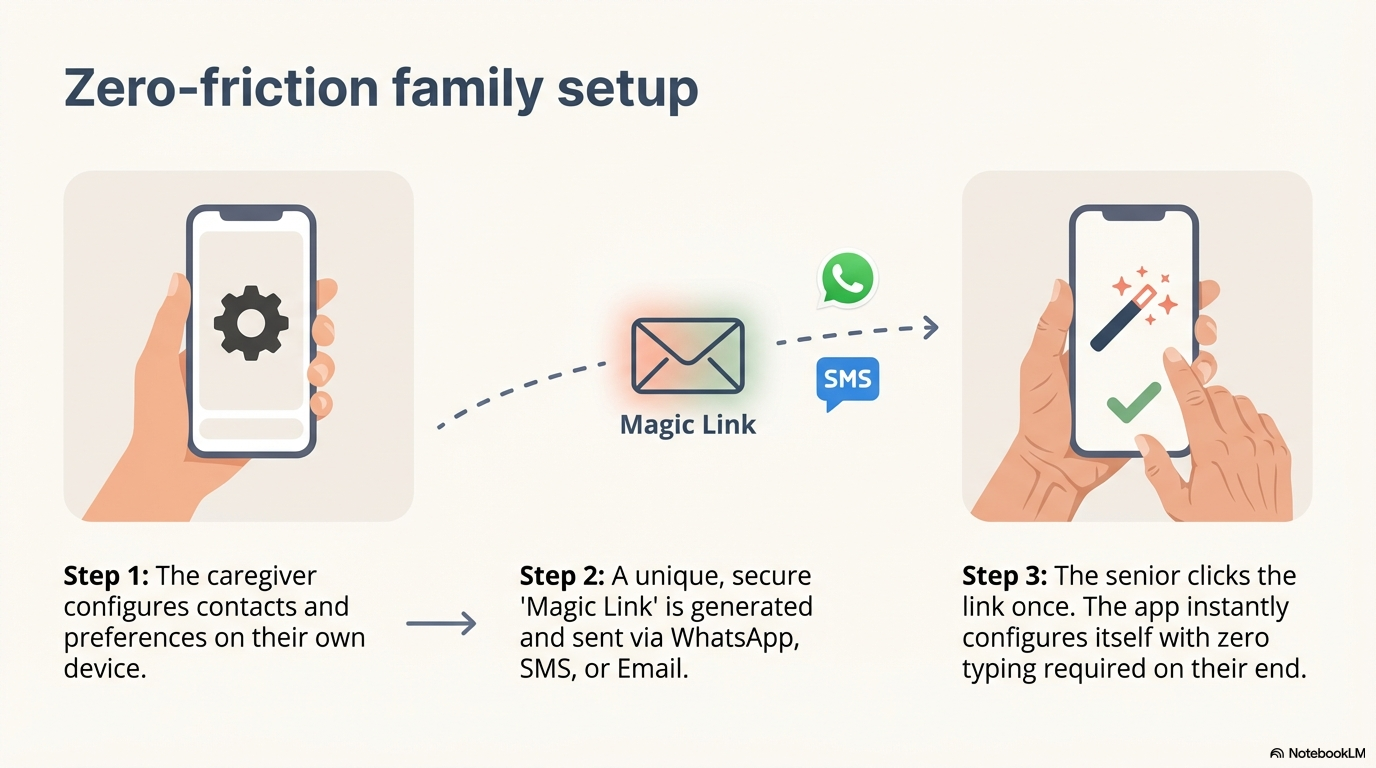
Family members can help seniors set up the app and contacts remotely using a configuration link. Configure the app on your own device and send them the link to install and configure the app with just one click.
Supports multiple languages for broader accessibility. Use SenyAlert in your preferred language.
Supported languages: English, Español, Català, Français, Deutsch, Italiano, Nederlands, Português, Euskara, Galego, 日本語
Includes both precise GPS coordinates and human-readable street address. Works even if recipients are offline or using basic phones.
Can send E-mail alerts as a reinforcement messaging method or to provide alerts redundancy if Twilio is not available.
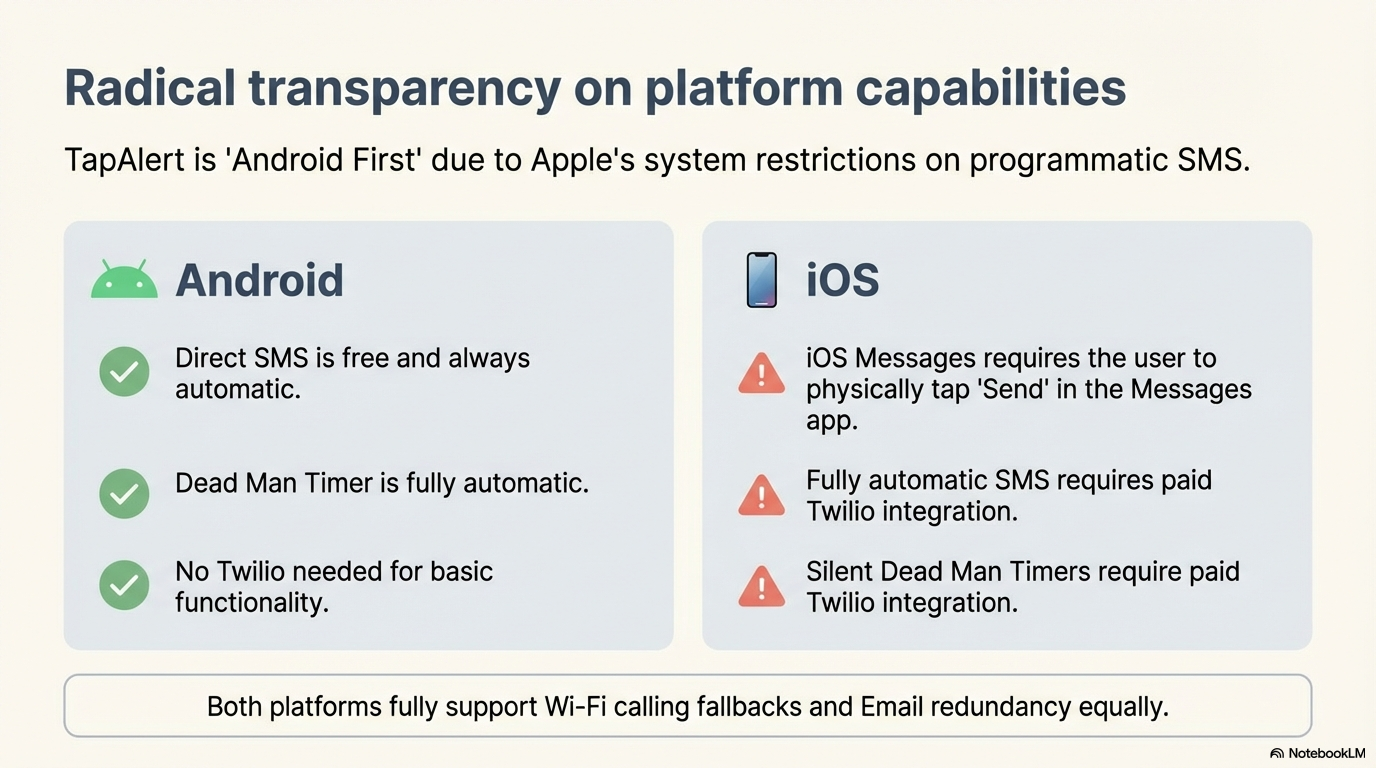
Android: the app sends SMS directly from your phone, no Twilio needed but is recommended. Twilio is optional, used as Wi-Fi backup when cellular is unavailable or broken — but it can also be used as failback in cellular-only situations if your Direct SMS does not work or is not available.
iOS: Apple blocks apps from sending SMS directly. This is an Apple restriction, not a SenyAlert limitation. Twilio is the bridge that lets the app send SMS automatically on your behalf. Without it, the only option is manually tapping "Send" again in the Messages app — not ideal in an emergency.
Android only: Add a one-tap emergency widget to your home screen for instant access without opening the app. Instructions for using it with a physical button or gesture are also provided in the app.

Satellite-to-phone SMS is coming to Android devices. When it does, most apps will be silently broken because they route through the internet, not native SMS. SenyAlert is already built to detect satellite connectivity and send direct SMS over it — automatically, the moment your device and carrier support it. No app update needed. No setting to toggle. It just works. When every other communication channel is down, satellite will be the last resort — and SenyAlert will be ready.
Intuitive interface designed for speed and simplicity
While we support iOS for cross-platform families, our flagship features leverage Android capabilities for sending automated native SMS alerts.
| Capability | Android | iOS |
|---|---|---|
| Send SMS for free | ✅ Yes (Direct SMS, always) | ✅ Yes (iOS Messages, requires user interaction) |
| Send SMS automatically | ✅ Yes (Direct SMS, always) | ❌ Only with Twilio (paid) |
| Works without internet | ✅ Yes (Direct SMS uses cell network) | ✅ Yes (iOS Messages uses cell network) |
| Fully automatic Dead Man Timer | ✅ Yes | ❌ Only with Twilio (paid). Without Twilio, the Messages app opens and the user must tap Send |
| No user interaction needed | ✅ Yes | ❌ Only with Twilio. iOS Messages always requires tapping Send |
| Email fallback | ✅ Yes (when internet available) | ✅ Yes (when internet available) |
(compared to Android)
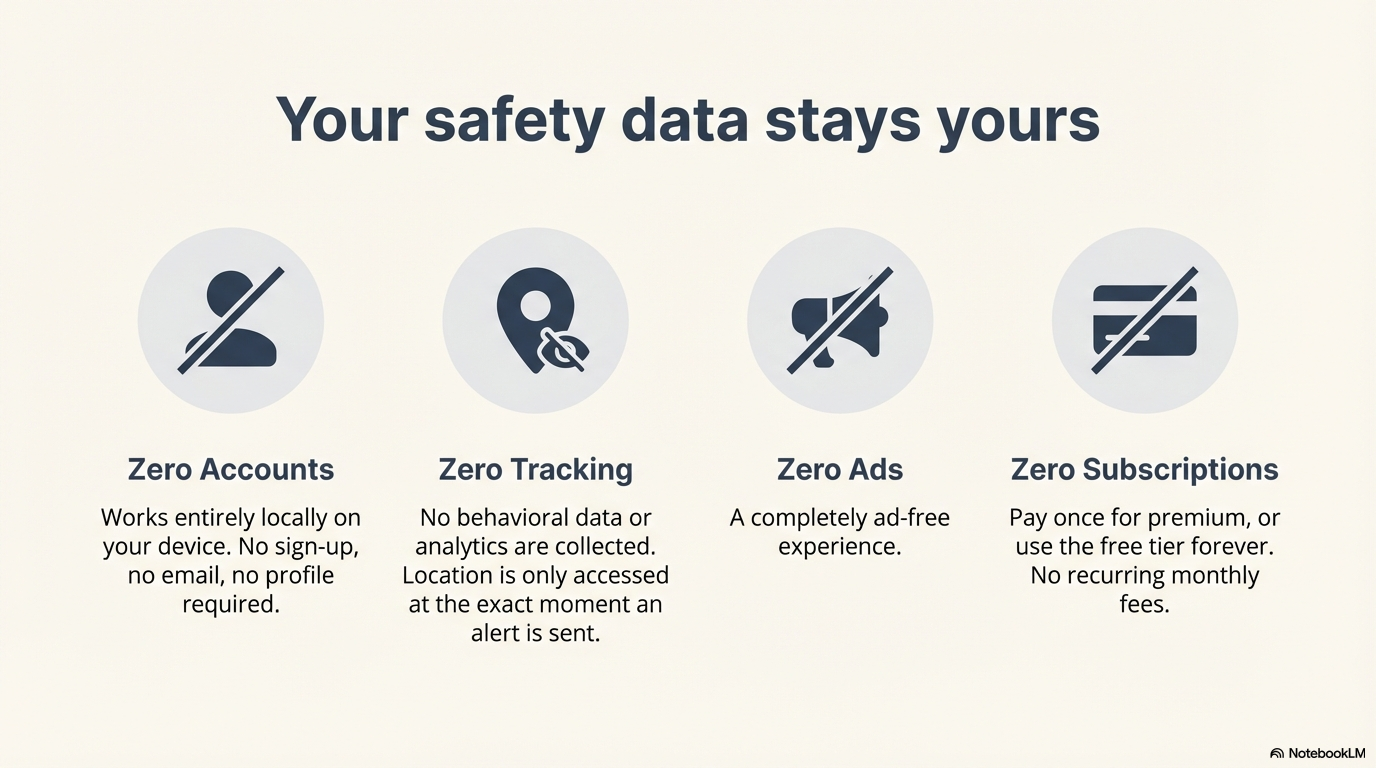
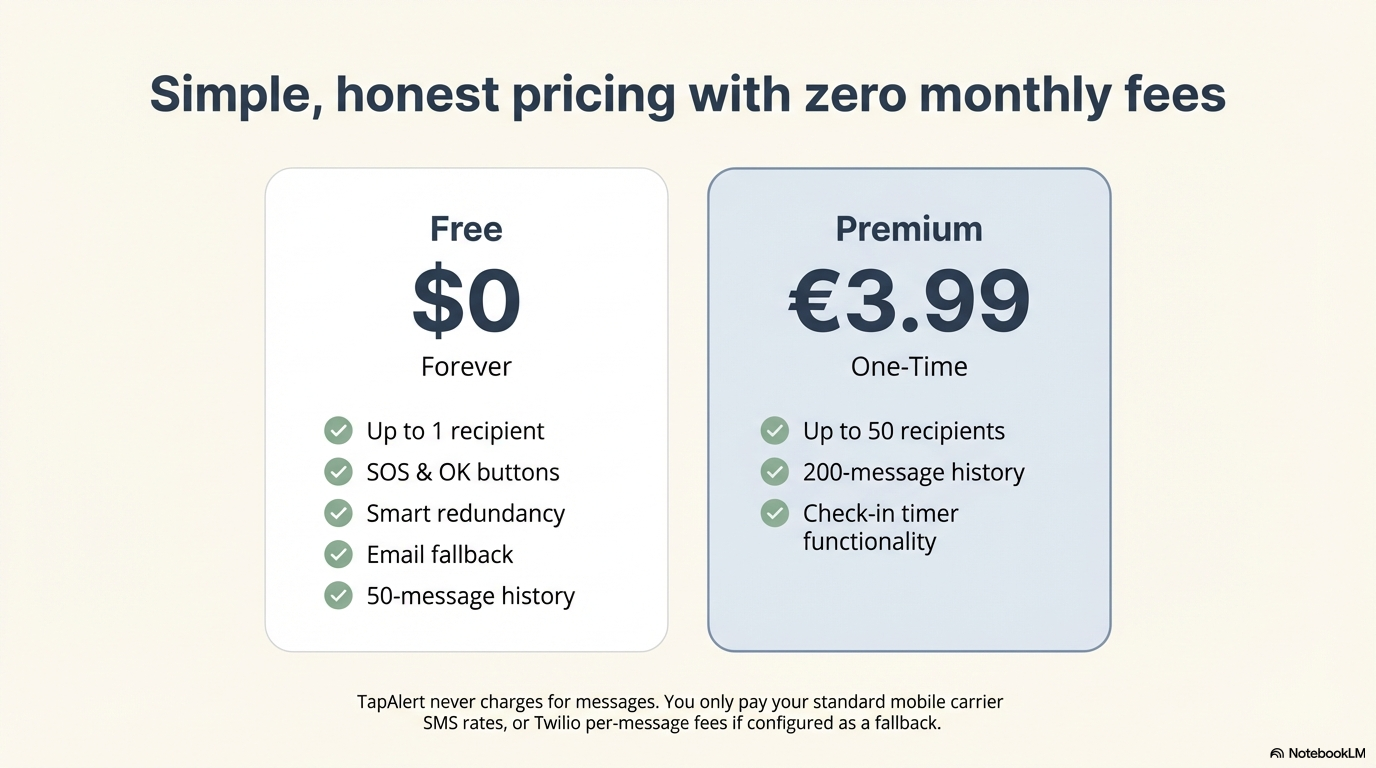
No subscriptions. No hidden fees.
Pay once, use forever.
Forever
One-time purchase
SenyAlert does not charge for the messages sent. The only costs you may incur are those applied by your own mobile carrier for standard SMS — just like any regular text message — and, if you choose to configure Twilio as failback or alternative service, the per-message fees set by Twilio (Note: there's a free Twilio trial account but we recommend to purchase a minimum budget to be able to use Sender ID to identify your SMSs). The app itself adds zero extra cost on top.
Your safety data stays yours. No accounts, no tracking, no surveillance.
Start using immediately. No email, no registration, no profile.
Zero analytics, zero behavioral tracking, zero advertising identifiers.
Contacts and settings stored only on your device. You're in control.
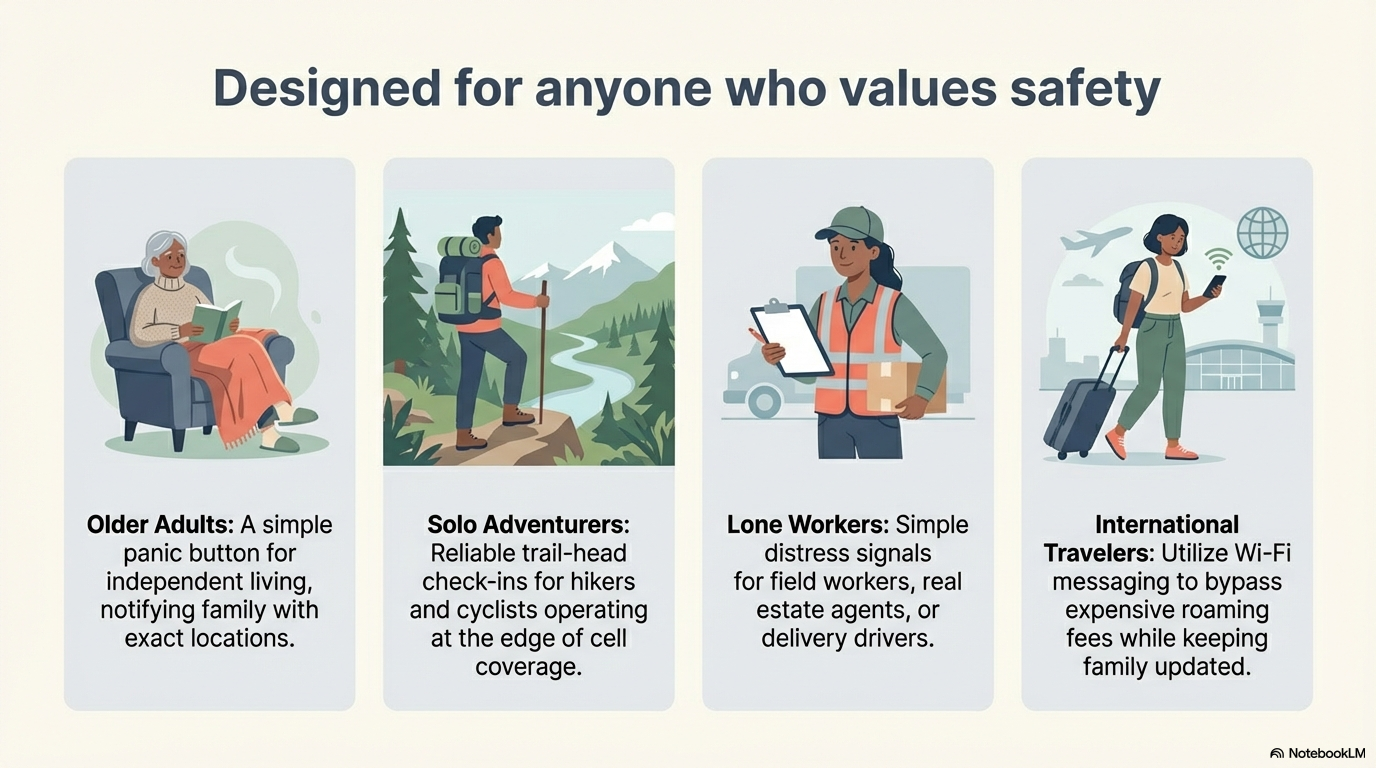
Designed for anyone who values safety and peace of mind
A panic button for seniors living alone or traveling independently. One tap notifies all family members with exact location.
Hikers or cyclists who want a reliable way to send their location to family at the start/end of a trail or in case of emergency.
Walking home late at night or using ride-shares? Send a discreet "Watch my back" alert to friends and family.
Field workers or lone employees (real estate agents, delivery drivers) who need a simple check-in or distress signal.
Using Wi-Fi messaging to bypass expensive roaming SMS fees while keeping family updated on your whereabouts.
Keep tabs on family members with quick "I'm OK" check-ins without the need for constant phone calls or texts.
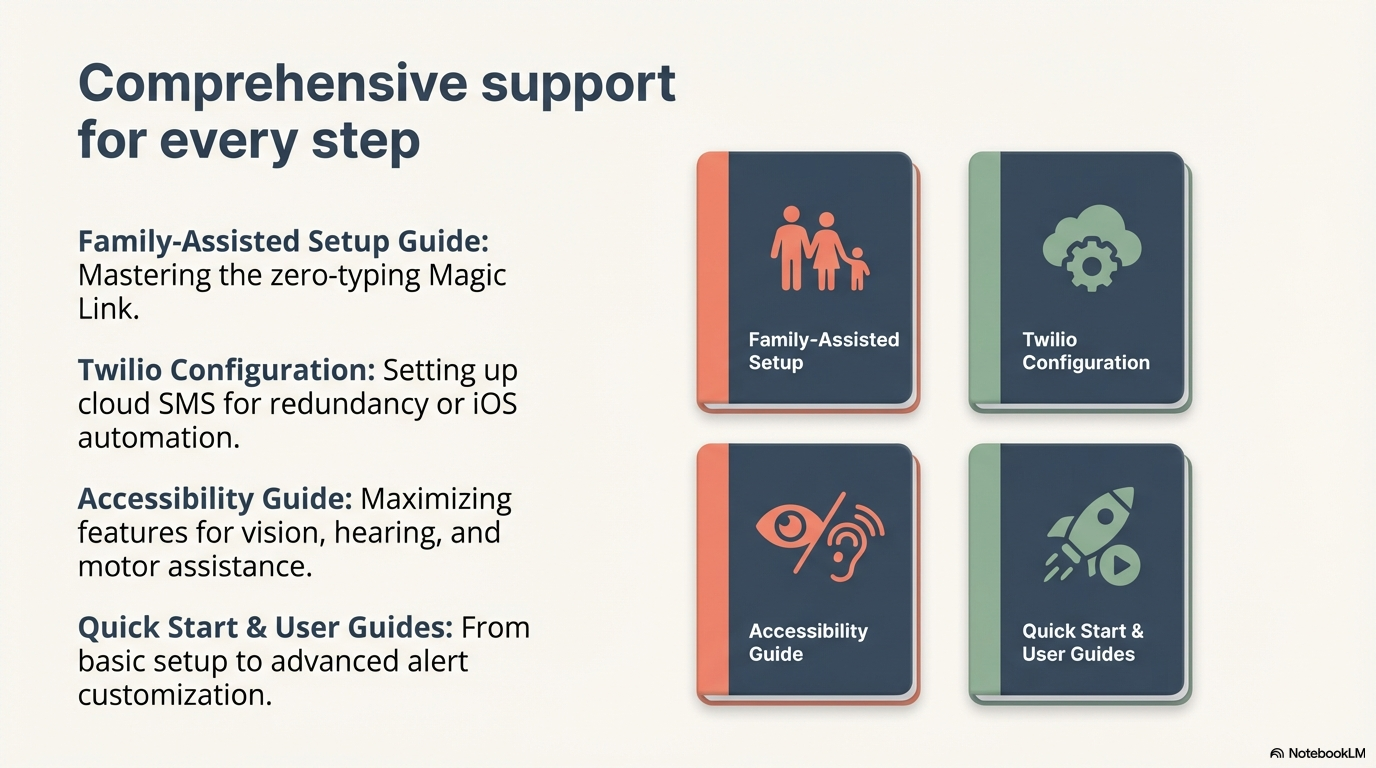
Master SenyAlert with our easy-to-follow guides
Complete reference for all app features — permissions, modes, settings, recipients, alerts, and more.
Get up and running in seconds. The essentials you need to know.
Set up SenyAlert for a senior using Magic Link — zero typing required for the senior.
How to send alerts instantly with a single tap.
How your contacts can prioritize your notifications.
Configure cloud SMS for redundancy and international travel.
Configure e-mail as fallback or redundancy alert messaging.
Learn about features designed for vision, hearing, and motor assistance.
SenyAlert is NOT a replacement for emergency services like 911 or 112.
Message delivery depends on network availability and recipient action. This app does not provide monitoring, emergency response, or guaranteed delivery. In real emergencies, always try to contact first with the emergency services.